Rust Conveyor Filters
Build, share and browse Industrial Conveyor filter setups.
Start from a ready setup?
Pick one to fill the rules below, then change what you like. Or import a filter you already have.
What should the conveyor move?
Each rule is one item or a whole category. Rules run top to bottom and the first match wins. Tap a rule to change it.
Save it to your account (optional)
Saved filters show in My Filters. Public ones can be found by other players in Browse.
See the JSON
[
  {
    "TargetCategory": null,
    "MaxAmountInOutput": 10000,
    "BufferAmount": 0,
    "MinAmountInInput": 0,
    "IsBlueprint": false,
    "BufferTransferRemaining": 0,
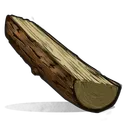
    "TargetItemName": "wood"
  },
  {
    "TargetCategory": null,
    "MaxAmountInOutput": 5000,
    "BufferAmount": 0,
    "MinAmountInInput": 0,
    "IsBlueprint": false,
    "BufferTransferRemaining": 0,
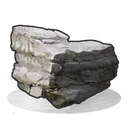
    "TargetItemName": "stones"
  },
  {
    "TargetCategory": null,
    "MaxAmountInOutput": 2000,
    "BufferAmount": 0,
    "MinAmountInInput": 0,
    "IsBlueprint": false,
    "BufferTransferRemaining": 0,
    "TargetItemName": "metal.fragments"
  },
  {
    "TargetCategory": null,
    "MaxAmountInOutput": 1000,
    "BufferAmount": 0,
    "MinAmountInInput": 0,
    "IsBlueprint": false,
    "BufferTransferRemaining": 0,
    "TargetItemName": "metal.refined"
  }
]
How conveyor filters work
Route entire item categories (Weapons, Ammo, Resources, etc.) to specific outputs.
Target specific items by name for precise sorting (e.g., only Sulfur Ore to a furnace).
Cap how many items accumulate in the output. 0 = unlimited. Useful for TC upkeep limits.
Set a buffer amount to hold back items before transferring. Useful for overflow systems.
Export the JSON and paste it in-game via the Industrial Conveyor's filter panel using Shift+Ctrl+V. Filters run top to bottom. The first match wins.